
One of my favorite reasons I love PowerShell is because can tap into its programming roots for added power. I will demonstrate later in my post.

Here is why:
An OLE Automation date is implemented as a floating-point number whose integral component is the number of days before or after midnight, 30 December 1899, and whose fractional component represents the time on that day divided by 24. For example, midnight, 31 December 1899 is represented by 1.0; 6 A.M., 1 January 1900 is represented by 2.25; midnight, 29 December 1899 is represented by -1.0; and 6 A.M., 29 December 1899 is represented by -1.25.
The base OLE Automation Date is midnight, 30 December 1899. The minimum OLE Automation date is midnight, 1 January 0100. The maximum OLE Automation Date is the same as DateTime.MaxValue, the last moment of 31 December 9999.
first there are not many reasons to convert excel to csv (who am I kidding it is tons). I ran across this issue helping a friend. I can’t believe how incredibly complicated it was to convert the time into a format that was more legible inside of the CSV file.
I think we can agree that sometimes things are harder than what they need to be and I will ensure that this can go easier specially if you take the time to make a function so that you can recall the fix in the future.
Here is a partial solution found as method:


It clicked immediately that .Net had the solution in its C# library….hopefully. https://docs.microsoft.com/en-us/dotnet/api/system.datetime.fromoadate?view=netcore-3.1
After visiting the link and reading I was more confused and still hopeful I had remembered C#/.net calls look different in PowerShell.
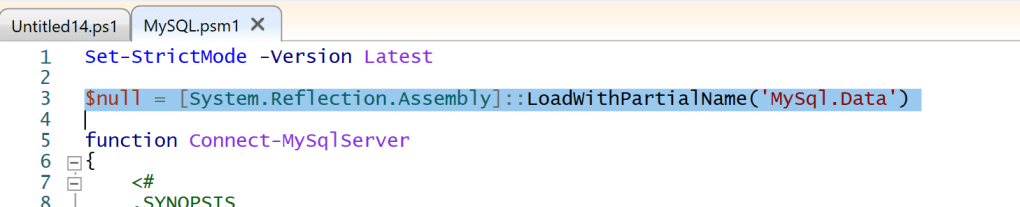
After playing with the way it was called.

now to test this solution in a different form of reusable code:

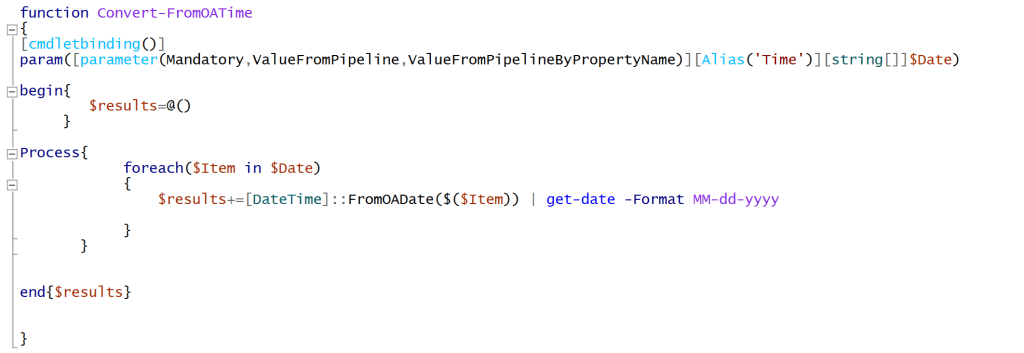
here it is with plain input:

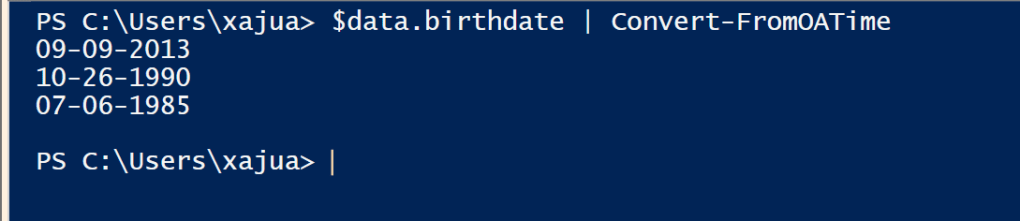
lets see the final solution

I know this one was lengthy but I felt like it helped really breakdown the process for beginners.
now the the script/Code:
$data=@()
$data+=New-Object psobject -Property @{name="Xajuan"; Age="" ; Birthdate=41526}
$data+=New-Object psobject -Property @{name="Tyesha"; Age="" ; Birthdate=33172}
$data+=New-Object psobject -Property @{name="Xajuan"; Age="" ; Birthdate=31234}


function Convert-FromOATime
{
<#
.Synopsis
   Coverting OA time to regular time.
.DESCRIPTION
   A proof of concept blending programming knowledge and scripting.
.EXAMPLE
   $data.birthdate | Convert-FromOATime
.EXAMPLE
   $data | select name,@{name='age';e={(get-date -format yyyy) -($($_.birthdate|Convert-FromOATime|get-date -format yyyy))}},@{name='birthdate';e={$_.birthdate|Convert-FromOATime}}
.NOTES
   By Xajuan Smith
   PowerShell.city
#>
[cmdletbinding()]
param([parameter(Mandatory,ValueFromPipeline,ValueFromPipelineByPropertyName)][Alias('Time')][string[]]$Date)

begin{
        $results=@()
     }

Process{
            foreach($Item in $Date)
            {
                $results+=[DateTime]::FromOADate($($Item)) | get-date -Format MM-dd-yyyy

            }
       }


end{$results}


}#end Function


#example
$data | select name,@{name='age';e={(get-date -format yyyy) -($($_.birthdate|Convert-FromOATime|get-date -format yyyy))}},@{name='birthdate';e={$_.birthdate|Convert-FromOATime}}



 PowerShell City